Friday, May 10, 2013

The Digital Portrait

Up Next:
Expression of the Human Form
The Digital Portrait


What makes a successful portrait?

What can artists convey through portraiture?

Self Portraiture
Self-Portrait, Judith Leyster, 1630

Self-Portrait, Gustave Courbet, 1843

Self-portraits are representations of an artist crafted by the artist themselves- drawn, sculpted, painted, and photographed.

Self-portraits have been around since the earliest times, but became more frequent in the mid-15th century when better and cheaper mirrors became available.

_______________________________________________________

PHOTOGRAPHY:


Things to Consider what Capturing the Human Form:
  • Who is your subject? What do you want to say about them?
  • What's going on in the background?
  • Pay attention to lighting- do you want a silhouette? side lighting? subtle lighting? What kinds of moods will different lighting create?
  • Think about clothing. Clothing can make or break the mood/effect of a photo. Same goes for props.
  • Do you want a candid shot or a traditional portrait? Candid shots can create emotions and stories that a traditional shot can't.
  • Cater to your subjects personalities!
  • Keep in mind... a portrait isn't always a face... just usually :)
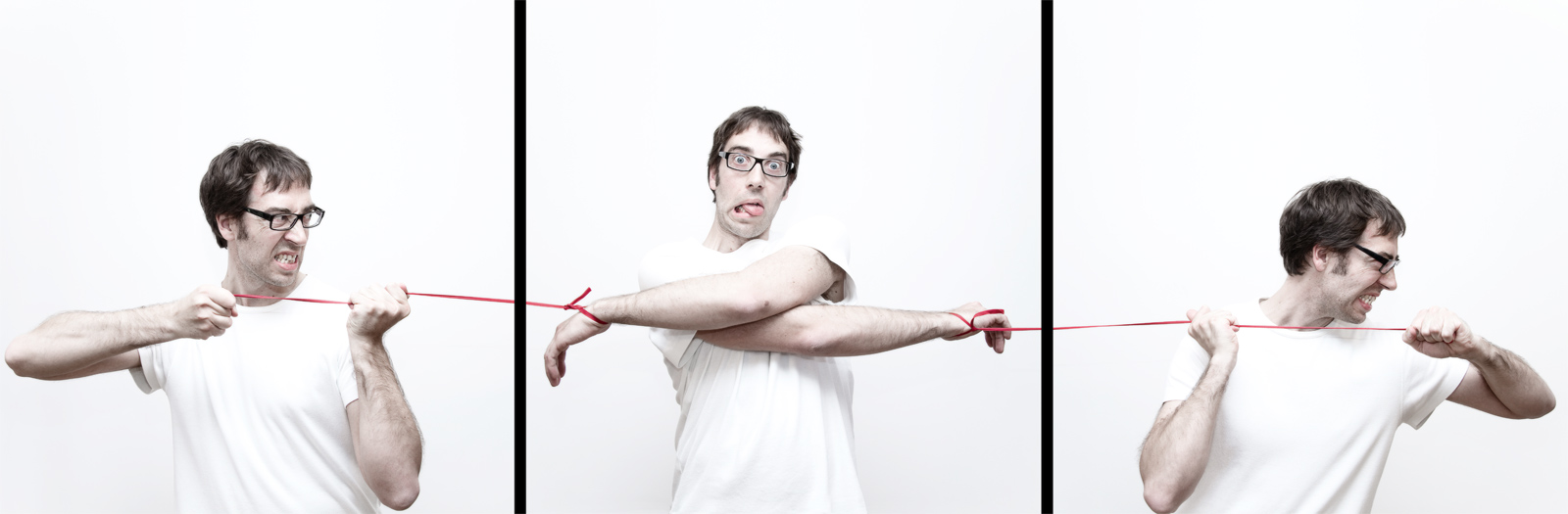
  • A portrait can also be a SERIES of portraits... nobody said you have to tell a story with only one shot :)
______________________________________________________

PHOTOSHOP:

(like this one? :) There's a tutorial here if you're driven!)


Things to Consider When Processing Your Photos:
  • Photos can use a touch up in photoshop 95% of the time. Even if it's just a minor lighting adjustment.
  • Filters can be used to bring out elements of your portrait that help to tell the subject's story.
  • We know how to select objects, put things in new layers, and fill in the color of certain areas. This technique can be used to make a poster-like effect like the last one by Shepherd Fairey above.
  • You can change the backgrounds, or add in other props, but make sure they're adding to the portrait and not taking away from it...

________________________________________________________

YOUR ASSIGNMENT: 

Create a collection of portraits, including at least 1 self portrait, using any or all of the tools we have learned about so far. This includes the tricks we learned about photography AND photoshop! (A "collection" is at least 6.... although you may choose to do more)

  • At least 6 finished portraits
  • at least 1 of the 6 should be a self portrait
  • portraits can be abstract representations, artistic representations, traditional representations, repetitive representations... if you're not sure if something counts, just ask!
  • portraits should be QUALITY photographs taken by YOU with good lighting, composition, and technology (don't use crummy cell phone cameras... some are high quality- make sure you know the difference).
  • portraits should undergo some kind of photoshop process, whether it be lighting/color alterations, background changing, filter application, or intense layering.
  • At least 1 portrait MUST use layering.
Due on Flashdrives at the end of class on
Monday, May 20th.
(all 6 images)

Wednesday, May 8, 2013

Wordle Wednesday!

WORDLE WEDNESDAY!

15 words or more


Pencil Bullets
artist unknown


Friday, May 3, 2013

CRITIQUE #4

Monday 5/6

We will be critiquing each other's iPhrases, the same way we critiqued the concentration photos.
That being said, please make sure your iPhrase is uploaded to your blog prior to class on Monday 5/6.

Please choose 5 of your classmate's iPhrases to comment on. Follow the links from this blog to other students in your class period. Please complete these comments TODAY (Monday, 5/6) as I will NOT BE ACCEPTING LATE CRITIQUE comments this time around- it got far too complicated. I am giving you class time to do it today, so there is no need for lateness.

Remember- you have to type in the codes at the bottom of your comment posts otherwise they wont post- many people missed this last time.

Critiques are Quiz grades, so be thoughtful with your posts! Try to choose iPhrases from other tables other than your own- it's more fun to see what everyone else is doing than just your friends/neighbors who's you've already seen! :)

Tuesday, April 30, 2013

Photomontage Project

Next on our agenda is a PHOTOMONTAGE.

Photomontages are similar to collages in that they are made up of multiple images, cut and pasted to make a new image.

Creating photomontages will require ALL of the skills that we have learned so far.

  • layers
  • selecting and cropping
  • resizing and moving layers
  • color alterations
  • saving images from internet- the right way! save large files manually- NO SCREEN SHOTS!
  • using digital cameras to take photos of self/other objects to include
YOUR ASSIGNMENT is actually 3 projects, each will take you several classes- Take your time, you want the edges to be crisp and clean and for it to look natural. You will have plenty of time to do these. Work dilligently.

#1- Create a photomontage involving YOURSELF. 

#2- Create a photomontage involving a famous work of art.

#3- Create a photomontage of your own personal choice.

Brad Pitt & Angelina Jolie in a Famous Painting...

Layers and Filters make this look more like a work of art

Many photos taken separately and then arranged like a puzzle in photoshop.

Seahorse Wordle!

WORDLE WEDNESDAY!!

15 words or more

A Seahorse Inspects a Diver's Watch
Photograph by Don McLeish

Ipod Ad BLOG POST

iLogan, by Blakey Curtis

When you've finished your iPhrase photos, compile them all together into one image (like we did with the Pop Art).

Create a Blog Post that has your image in it and includes a WRITE UP about your piece.
Explain your iPhrase
Why did you choose these poses?
Why did you highlight the details that you did?
Any other little tidbits about the process?

Wednesday, April 24, 2013

iPod Silhouettes


Our Next Project will be creating our own iPod-like silhouettes. I say iPod-like.... because you do not have to include the iPod. You're picture can be about something else, like the one below "iRead"


Step ONE:
  • What is your "iPhrase"
  • Pick something that interests you- iDance, iRead, iPaint, iLaugh, iBackbend, iShootHoops....


Step TWO:
  • Take some photographs!
  • You'll need a figure standing in a specific POSE, in front of a bare background. If you have too much stuff in the background it will be difficult to trace your figure with the selection tool.
  • Take between 5 and 10 photos of different poses. You'll want options!
  • Have a prop- what is your picture about?
Step Three:
  • Upload to your computer. Demo on Thursday/Friday in class.
We will have a finished product of THREE images. So if you pick, iDance, there will be 3 different silhouettes all about dancing.

VIDEO TUTORIAL HERE (for any who likes to do things on their own and ignore me) :)